Showing posts with label digital painting. Show all posts

2014-05-31

iPod Touch to Manga Studio

• Supernova playtime
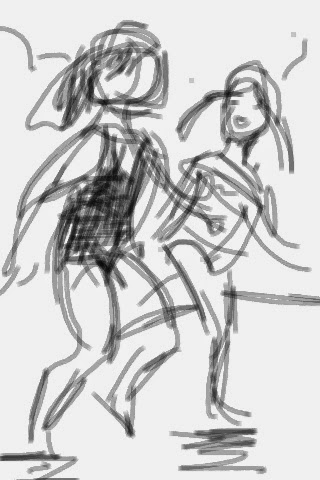
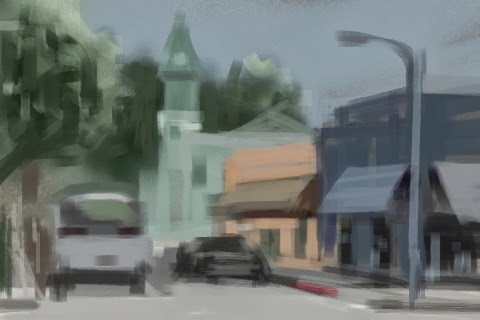
After trying for months, I've concluded that I can't finish outdoor iPod touch illustrations on location (glossy screen + scale). But the portability of the iPT is hard to shelve. So I've been experimenting with using the Brushes app on an iPT to take "field notes" which I then finish in Manga Studio. Here's 2 Brushes to Manga Studio comparisons.

• update:  another pair, this one is a splash pad. I forgot to mention in the original post that I used Manga Studio oils for the first time (they're great).


2014-02-02

Digital apuntes

Here's some location studies on my iPod touch using the Brushes app. The lock transparency feature (used on the awnings) and desatureate (when the skies turned gray) make the first 2 uniquely digital.    
• Last one: these are stack dryers in a laundromat (if too abstract)

2014-01-07

Brushes app + iPod touch

The portability of devices like the iPod touch for field work was intriguing but I'd resisted because many lack default pressure-sensitivity and drawing on 3"+ screens seemed awkward. But, a few months ago a hand-me-down kind of forced my (drawing) hand...
     Although I hate the glossy screen, which makes viewing challenging, it at least also allows for some anonymity from passersbys, as does just handling a mobile device these days (often a speedbump using sketchbooks or easels). I'd still prefer a matte option though, so that the brightness doesn't have to be cranked up to counter reflections and thereby prolonging battery life too.
     After dismissing SketchbookX for feature bloat, I found the streamlined Brushes app. I prefer direct. Some of these studies are finger-paintings, others are done with a DIY stylus and the rest with a $1 stylus. They're from waiting rooms, farmers markets, laundromats, libraries and netcasts.

2013-12-23

A Rudolph selfie during a systems check

Reflecting on the "word-of-the-year", I did this to see how Rudolph the Red-nosed Reindeer might look like if he took one. Without an iPod touch version of Manga Studio, I initially was going to sketch and finish this with the Brushes app (new to mobile so just discovered), but I realized that the 4" screen was just too confining to complete a finish--lack of palm rest and input rejection, for example. So I painted this with Manga Studio EX5. (his nose was the one carry-over from Brushes--although also easily replicated in MS) Merry Christmas!

2013-10-07

Manga Studio EX 5 alla prima


Continuing the momentum from my last post, here's more location paintings of cafe patrons (indoors this time) using the latest Manga Studio EX5. Painting digitally makes these candid "water/oil-media" portraits more possible--minimal setup and no wet canvases or paper, for example.
     For me, the main difference between the previous EX4 and this updated version is the fluidity.

2013-10-02

Manga Studio EX 5 plein air

This is my first painting using the latest version of Manga Studio. Based on the exceptional but underrated painting capabilities of the previous versions plus the new fluid brushes, I expected MS5 to be the best painting app I've ever used. It is.
     This man was enjoying a cup of coffee at an outdoor cafe.

2013-07-22

Painting snow with a cool app on a hot day

Inspired by a painting passage of melting snow I saw a few weeks ago, I did this study with some of the new painting brushes in Manga Studio 5.

2012-10-16

Manga Studio studies at the library


Some painting studies in a library using Manga Studio pencils (mostly) set to 80% opacity with a very portable MacAlly iceCad graphic tablet. What I learned is that library visitors are good for candid extended studies. Tech note: I had to abort a different trip because MS wanted the install disc before launching–which I didn't have; so now, for future location sketching, I'll add a disc image (.dmg) to my backup thumbdrive.

2012-09-22

Outdoor location painting with Manga Studio


Here's some recent Manga Studio EX4 painting studies of outdoor subjects. These had to be done from inside 2 coffee shops and a library because I had to use my laptop power adapter (dead battery). Although with the sun reflecting off of my aluminum Powerbook much of the time, it felt like I was outdoors anyway. The goals were to gain milage with various pencil compositing modes, geometric rulers, temporary layers and color palettes.

2012-02-05

Painting with Manga Studio


These studies were painted using Manga Studio EX4 based on the ballpoint sketches of a pick-up basketball game from my previous post. I mostly used various Pencils on these.

Coloring without exporting to Photoshop seems more and more feasible.


• update: some storyboards drawn and colored with MS only


• more studies (including rendering with rulers and 32-bit color vectors)


2011-08-04

Oil rubout-like

A coloring of my B/W tonal study from my previous post that's like an oil rubout illustration technique popular in the 60's.

2011-07-31

Painting with Manga Studio's Pencils

Because the Pattern Brush in Manga Studio stresses my computer's processor, I'm exploring the tonal potential of the simpler Pencil Tool.  Here's a "painterly" studio version of a location pen sketch from my previous post, of a mother showing a photo she just took with her smartphone to her 2 boys. Since one can't pencil lighter values over darker ones (unlike Photoshop's misnamed "Pencil"), they were erased rather than painted over opaquely, as the screenshot in transparent mode over a green background shows. Revealing lighter values instead of applying them was a brain-twisting exercise though.

2011-06-30

A uniquely digital architectural rendering style

Although I proposed a more traditional watercolor-type architectural style for this future food co-op, the client wanted a more pastel look. The resulting hybrid architectural sketch was done in a style only possible in the CG world; in other words, "coloring"  with pastels on an ink drawing would be near impossible in the analog world. (inks: Manga Studio EX4 + pastels: Photoshop CS4)

2011-06-13

Two versions of an architectural rendering

These are 2 versions of a sample rendering that I did as part of a bid. I based the first version on high key, compressed value scale renderings provided as reference. It began looking too flat to me, so I added additional darks. The second version is closer to my concept of an architectural rendering and the lines were hidden to provide another option. The line drawing was done using the perspective ruler in Manga Studio EX and then colored in Photoshop, using some customized oval brushes that I labeled "UFO"s for brevity, although "almond"s would have been more accurate. 

2011-06-06

Surfing at the library

As I've said in earlier posts, I think the coloring capability of Manga Studio EX4 is underrated. This color rough, based on last week's Bic pen sketch at the library, was done to further explore versions of "Brush Pens" and a Wacom tablet (which I can color with all right on, but which for drawing still feels like my first day on ice skates).

2010-11-27

Wacom 6D stylus experiments

Finally able to simulate painting in Photoshop CS4. This 6D stylus is amazing (succeeded by the Intuos4 Art Pen).
 
Simulating dry media with the felt nib.